flowcam gives you a tidy interface to the USGS National Imagery Management System (NIMS) API—the service that stores and serves images collected by stream-gage cameras across the United States. With a few function calls you can discover cameras, list available images, download them to disk, and stitch them into an animated GIF or MP4 video.
Full function reference: https://connorb.github.io/flowcam/reference/
Authentication
NIMS requests work without a key, but unauthenticated traffic shares a rate-limit pool across all users. Register for a free key at https://api.waterdata.usgs.gov/signup/ and store it once with set_usgs_api_key():
set_usgs_api_key("your_api_key_here")This writes API_USGS_PAT to ~/.Renviron and applies it to the current session immediately. Every subsequent call—in this session and in future R sessions—picks up the key automatically. The dataRetrieval package reads the same environment variable, so one key covers both.
Finding cameras
find_cameras() returns a tibble of camera metadata. Called with no arguments it fetches every camera currently registered in NIMS:
all_cameras <- find_cameras()
nrow(all_cameras)
Narrow to a specific USGS monitoring location by passing its NWIS site number:
cam <- find_cameras(site_id = "08385630")
cam
This returns the Pecos Web Camera near Roswell, NM. The same record is reachable by its camera identifier:
find_cameras(cam_id = "NM_Pecos_Web_Camera_near_Roswell")Key columns in the result:
| Column | Description |
|---|---|
camId |
Camera identifier used in all other functions |
camName |
Human-readable name |
lat, lng
|
Decimal-degree location |
newestImageDT |
Timestamp of the most recent image (UTC) |
TL_enabled |
Whether daily timelapse videos are generated |
smallDir, overlayDir, thumbDir
|
S3 base directories for each image size |
When you only need a couple of fields—for example when scanning hundreds of cameras—use return_fields to keep the response small:
find_cameras(
  site_id       = "08385630",
  return_fields = c("camName", "newestImageDT", "TL_enabled")
)
camId is always returned regardless of what you pass to return_fields.
Listing available images
list_images() returns the filenames stored for a camera. Pass either cam_id or site_id:
imgs <- list_images("NM_Pecos_Web_Camera_near_Roswell", limit = 10)
imgs
The default is a single-column tibble of filenames ordered newest-first. Set raw_item = TRUE to also retrieve the capture timestamp and file size:
list_images("NM_Pecos_Web_Camera_near_Roswell", limit = 10, raw_item = TRUE)Filtering by time
The time argument accepts a Date, POSIXct, or ISO 8601 character value. A single value means “on or after”:
list_images(
  "NM_Pecos_Web_Camera_near_Roswell",
  time = "2025-06-15"
)
A two-element vector sets a closed window. Use NA for an open bound:
list_images(
  "NM_Pecos_Web_Camera_near_Roswell",
  time = c("2025-06-01", "2025-06-03")
)
Chronological order
By default results are newest-first. Pass recent = FALSE to flip the order—useful when you want frames in chronological order before building an animation:
list_images("NM_Pecos_Web_Camera_near_Roswell", limit = 20, recent = FALSE)Pagination
The limit argument controls the API page size (1–50,000). When the camera has more images than limit, list_images() paginates automatically using a timestamp cursor and returns all matching records in a single tibble.
Downloading images
download_images() lists the images for a camera and saves them to a local directory in one call. You must create the destination directory beforehand:
dest <- file.path(tempdir(), "roswell")
dir.create(dest, showWarnings = FALSE)

paths <- download_images(
  cam_id   = "NM_Pecos_Web_Camera_near_Roswell",
  dest_dir = dest,
  size     = "small",
  limit    = 10
)
paths is a character vector of local file paths returned invisibly. Failed downloads are represented as NA.
Image sizes
size |
Approximate dimensions | Best for |
|---|---|---|
"small" (default) |
~720 px wide | Monitoring, animation |
"overlay" |
Full resolution | Gage-reading annotation visible |
"thumb" |
~200 px tall | Quick visual overview |
Time filtering
Pass the same time argument as list_images() to restrict which images are downloaded:
paths <- download_images(
  cam_id   = "NM_Pecos_Web_Camera_near_Roswell",
  dest_dir = dest,
  size     = "small",
  time     = c("2025-06-10", "2025-06-12")
)
Resuming partial downloads
download_images() skips files that already exist in dest_dir when overwrite = FALSE (the default). If a download is interrupted, simply re-run the same call and only the missing files will be fetched.
Making a GIF
make_gif() fetches images and encodes them into an animated GIF. It requires the gifski package.
The simplest call streams images directly from NIMS—no separate download step needed:
If you already downloaded images with download_images(), point to that directory with dir to skip re-downloading:
make_gif(
  dir    = dest,
  fps    = 2,
  output = "roswell.gif"
)
One frame per day
For a range spanning many days the result can be hundreds of frames. Pass one_per_day = TRUE to reduce the animation to a single frame per calendar day, selecting the image whose capture time is closest to local noon:
When output is not specified the file is written to "<cam_id>.gif" in the working directory.
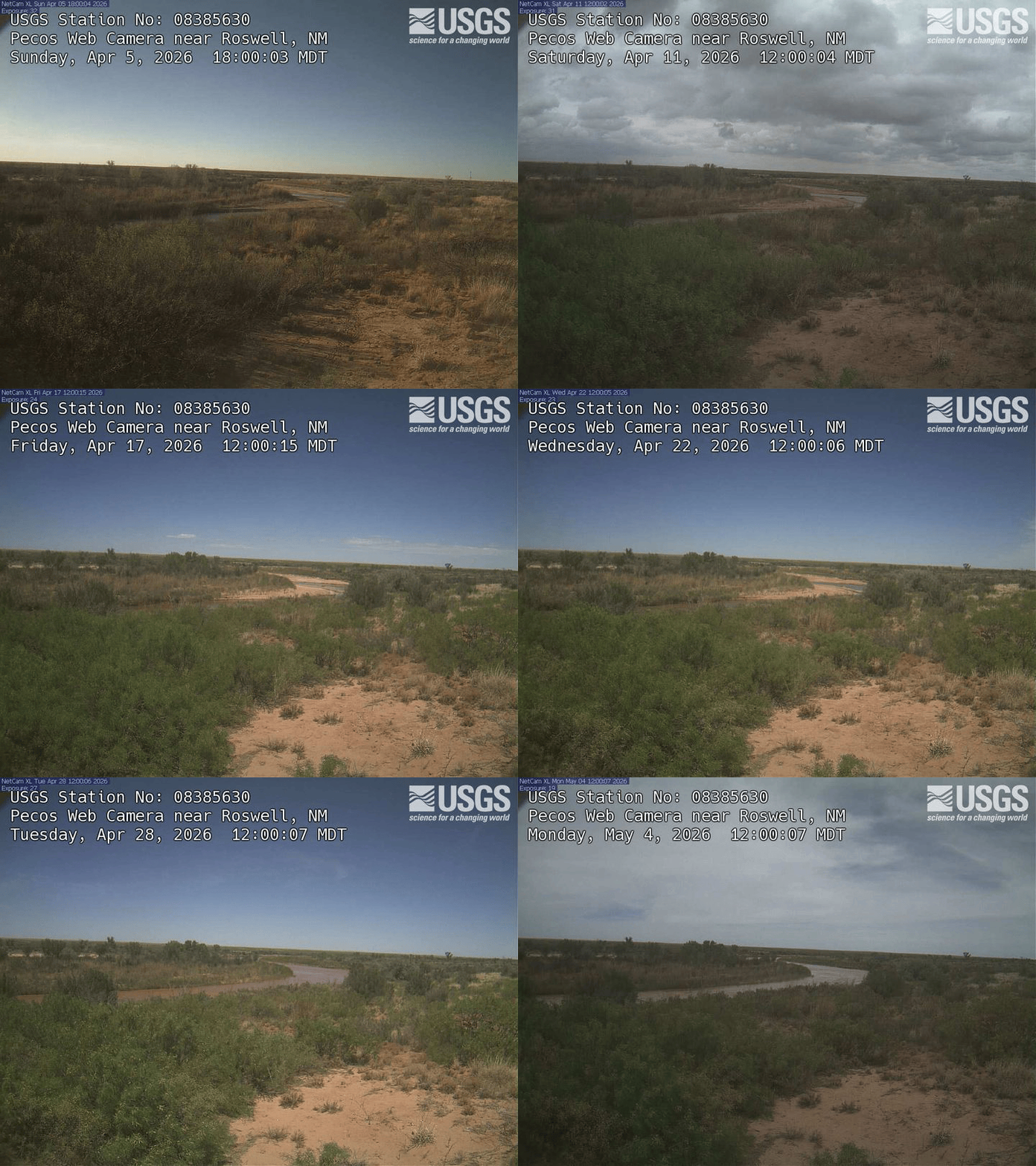
Here is a 30-day example from the Pecos Web Camera near Roswell (one frame per day, closest to noon):
Making a video
make_video() produces an MP4 instead of a GIF. It requires the av package and accepts the same arguments as make_gif():
make_video(
  cam_id = "NM_Pecos_Web_Camera_near_Roswell",
  time   = c("2025-06-10", "2025-06-12"),
  fps    = 4,
  output = "roswell.mp4"
)
Build from an already-downloaded directory:
make_video(
  dir    = dest,
  fps    = 4,
  output = "roswell.mp4"
)
MP4 files are substantially smaller than equivalent GIFs at the same resolution and frame count, making them preferable for longer time ranges or larger image sizes. GIFs are more portable for sharing in contexts that don’t support video embedding.
Next steps
-
vignette("pecos-river")shows how to usefind_gage_cameras()to enrich camera records with NWIS site metadata and compare two cameras on the same river reach. - The full function reference is at https://connorb.github.io/flowcam/reference/.